
Overview
This tutorial provides an advanced, step-by-step guide on how to calculate the environmental impacts of a product using its Bill of Materials (BOM). As an example, we will model an office chair and quantify its environmental impacts in Sustainly, using a scalable and reusable modelling approach. Rather than modelling the entire product from scratch, we will follow a component-based LCA approach:- Create reusable environmental impact models for generic components (e.g., 1 kg of polypropylene)
- Link environmental impacts to product parts (e.g., polypropylene seat)
- Assemble parts into a complete office chair product using a BOM
- LCA introduction
- Building Your First LCA Model with Sustainly
- Mastering Component-Based LCA in Sustainly
- Using a Product BOM in Sustainly
- Build an LCA library with single, reusable “building blocks”
- Assign environmental impacts to product parts using different modelling approaches
- Assemble a cradle-to-gate product model by combining LCAs from the library
- Use a product’s BOM to calculate its environmental impacts
Project Goal & Scope
- Goal: To quantify the environmental impacts of an office chair across its entire life cycle and identify which materials and components contribute the most to these impacts. The assessment is conducted using the BOM of the product in Sustainly.
- Functional Unit: One office chair used for office seating over a lifetime of 10 years.
- System Boundaries: Cradle-to-Gate, which includes the initial raw material extraction, transport, and manufacturing. This tutorial is made using the Environmental Footprint Database.
Product definition and Bill of Materials (BOM)
Product Definition The product analysed is a standard, non-electric office desk chair for use in offices and homes. The chair consists of a metal frame and base, plastic structural components, foam padding, textile upholstery, and wheels. Bill of Materials The BOM forms the basis for all calculations in this tutorial. It is used to define components, assign environmental impact data to them, and link their impacts to product parts in the final assembly. The BOM represents a simplified but realistic material breakdown of the chair. Small fasteners, coatings and minor auxiliary materials are included within the main material categories.Step-by-Step Modeling
Configure default LCA settings
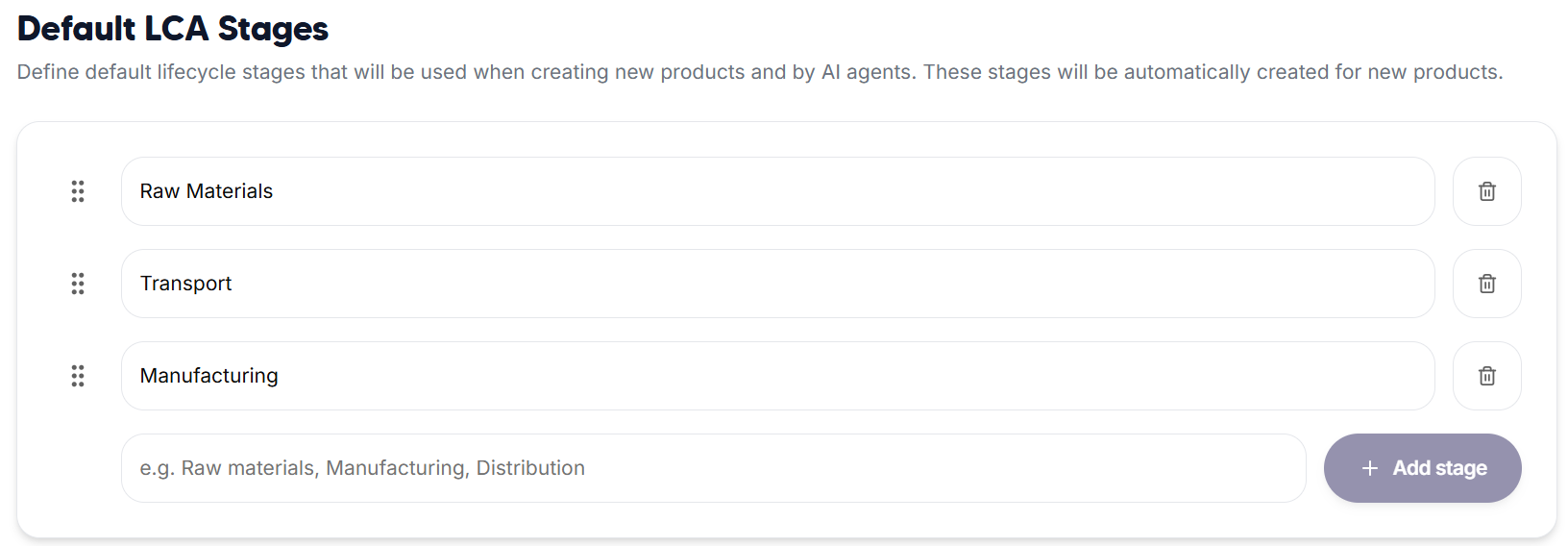
Before creating components, we first configure default LCA stages. These stages will automatically appear whenever a new component is created, ensuring consistency across the model and reducing repetitive setup work.- Navigate to the Settings panel in Sustainly
- Click the “LCA” button
- Select “Add stage” to define default LCA stages:
- Raw Materials
- Transport
- Manufacturing
Create suppliers
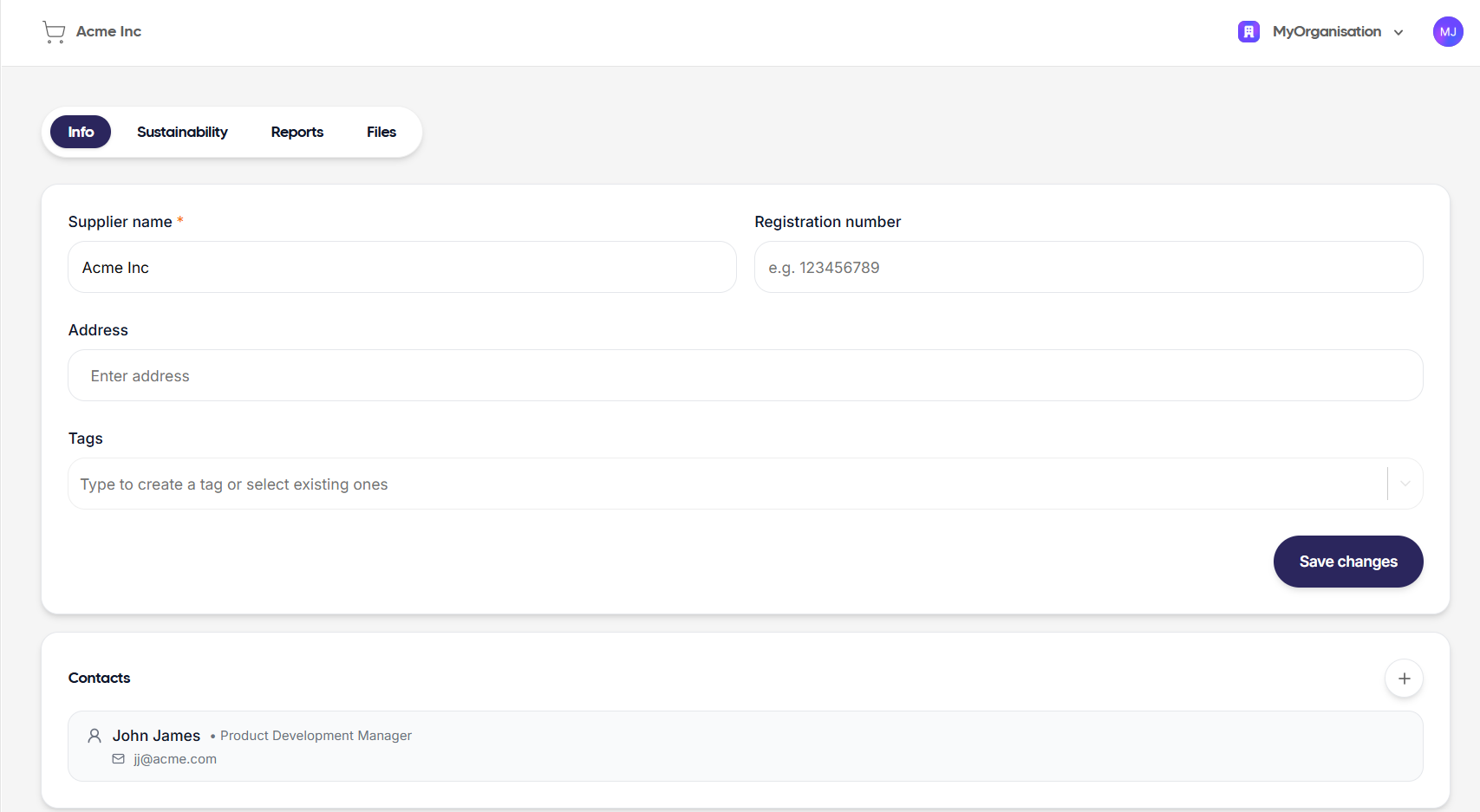
To improve traceability and provide a clearer overview of component origins, we recommend defining suppliers before creating LCAs.- Navigate to the Suppliers panel
- Click the “Add supplier” button
- Name it Acme Inc and add a contact person John James
- Optionally add additional details such as: address, phone, email, job title
Creating environmental impacts (per unit component)
To avoid duplicating environmental data across products, it is possible to assign environmental impacts to parts in one of two ways:- by creating a reusable LCA in the LCA library and linking it to parts, or
- by linking a background dataset directly to a part, without the need to create a separate LCA.
Option 1: Creating a reusable LCA for 1 kg of polypropylene
1. Create LCA library
LCAs can be created manually or with the help of the AI agent. For demonstration and transparency purposes, this tutorial follows a manual modelling approach. You can create generic LCAs representing a single unit of material (e.g., 1 kg of polypropylene). Each LCA includes the life cycle inventory and impact assessment of the production of a unit of material and can be reused in multiple products. This approach is recommended for components with a more complex life cycle. In this example, producing polypropylene involves two processes: extracting the raw material and processing it into a final form. We start by creating an LCA representing 1 kg of polypropylene.- Navigate to the LCAs panel
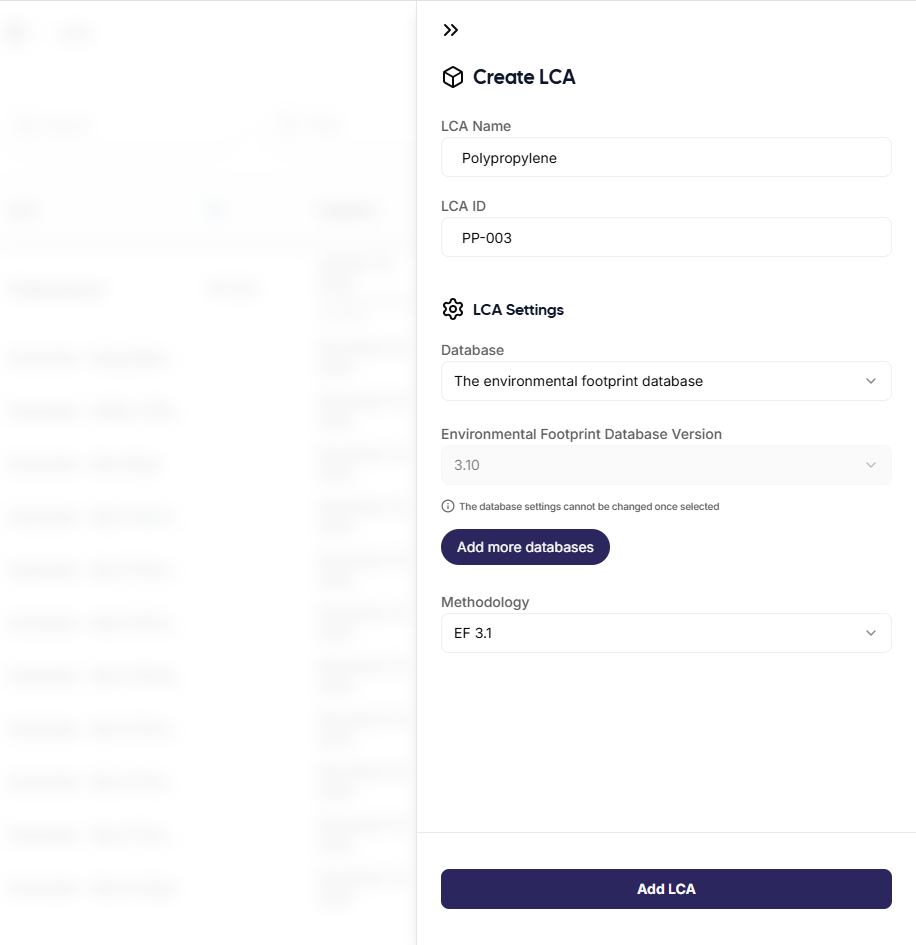
- Click the “New LCA” button
- Name it Polypropylene with a functional unit of 1 kg
- Enter any other details that might be relevant: supplier, component ID, database, methodology, etc.
- In the Kanban View, build a cradle-to-gate model by assigning the appropriate processes to each life cycle stage. Since this model focuses only on material production, the modelling is limited to the raw material stage, where the production of polypropylene is represented. Here is an example:
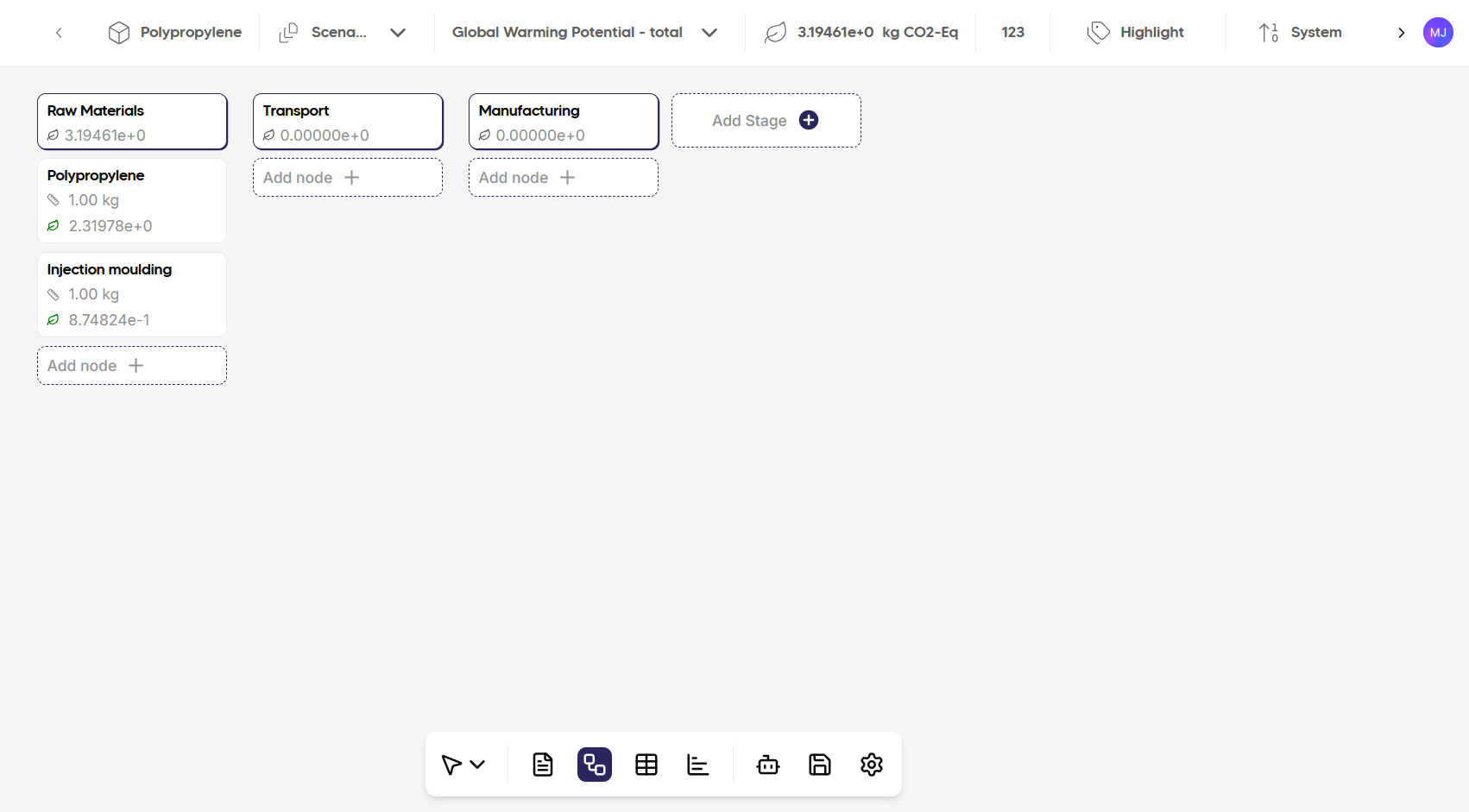
- Save report when finished with modelling. You have now encapsulated the impact of producing 1 kg of polypropylene.
- Repeat this process for the other 5 materials: Steel, PU foam, polyester textile, ABS plastic, and cardboard, as well as for transport (freight truck, cargo plane, and/or cargo ship), electricity and any other resource consumption (water, wastewater, e.g.).
- Each LCA model should follow the same structure (i.e. raw materials, transport, manufacturing) to ensure comparability.
2. Create parts using the LCA library
Parts can reference environmental impacts either via LCAs from the LCA library or via background datasets linked directly to the part. The following description follows option 1, where the reusable LCA created above is linked to a part.- Navigate to the Parts panel
- Click the “Add Part” button and name it Polypropylene
- Enter any other relevant details: SKU / Reference, Cost, Weight (kg), Unit, Type, Description, Supplier, etc. Note: For this part, the weight will be 1 kg - the goal is to then be able to reuse this part in other products/assemblies.
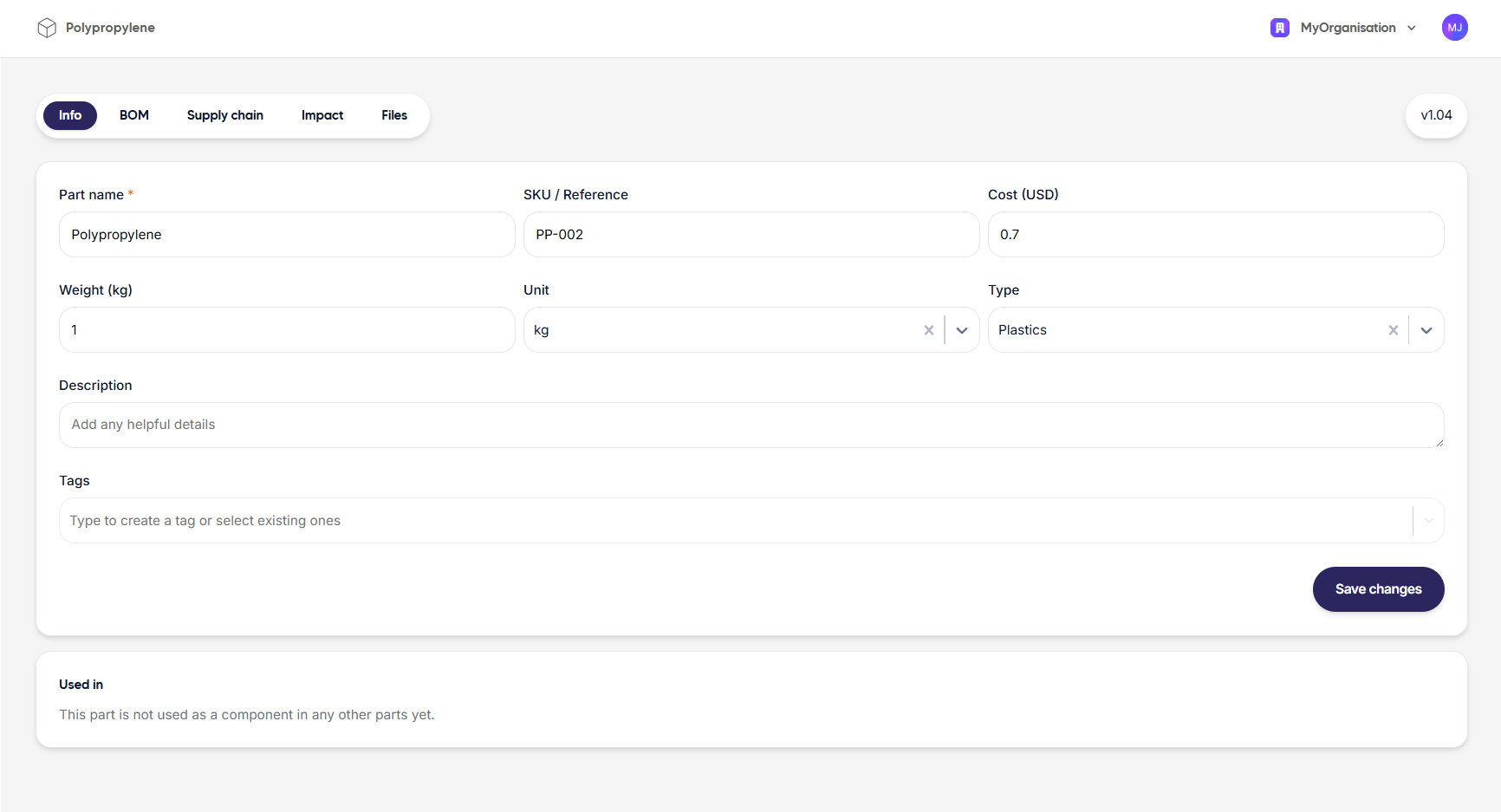
- Go to the Impact Report section
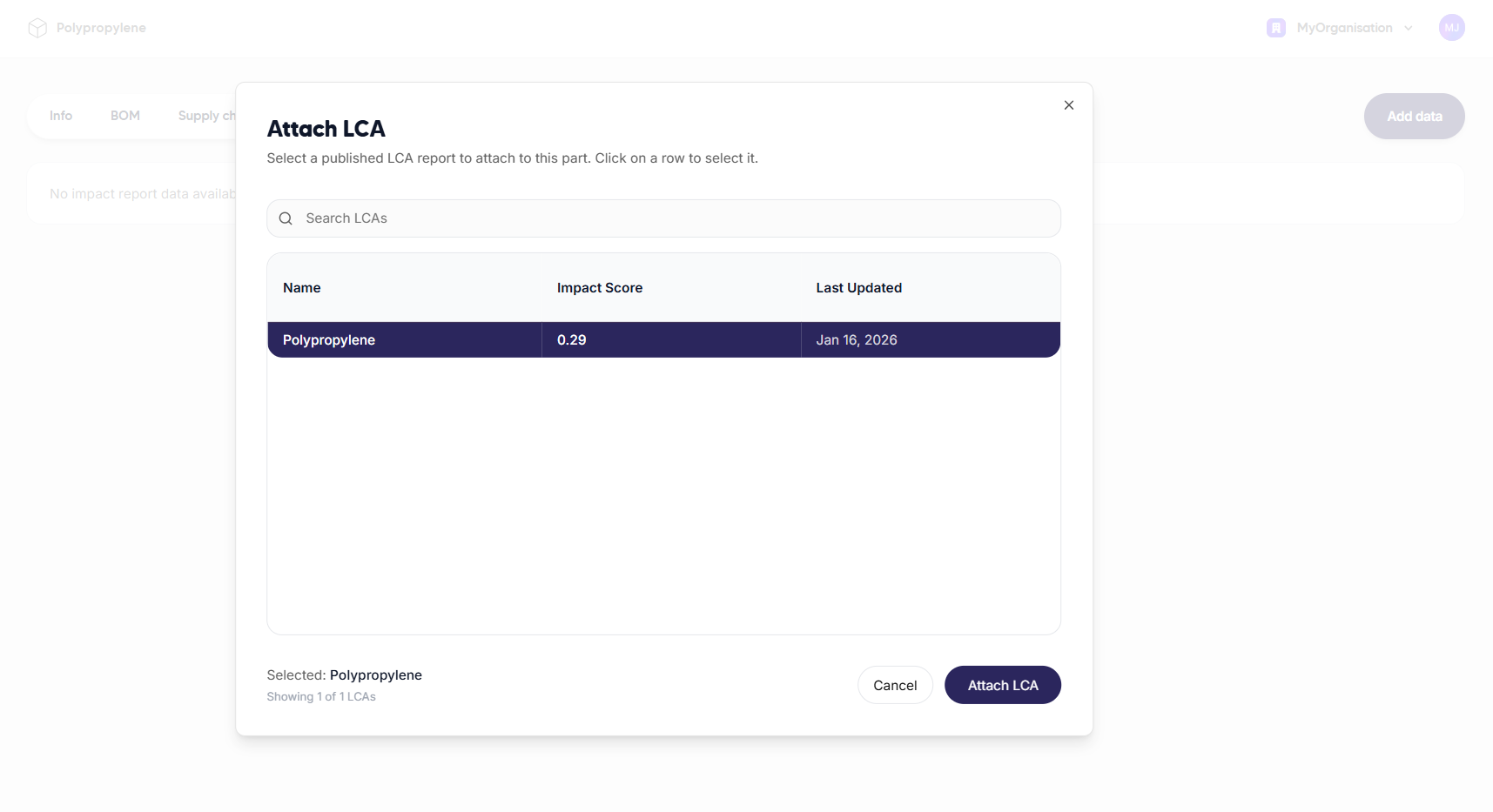
- Click the “Add data” button and select LCA
- Attach the previously created Polypropylene LCA
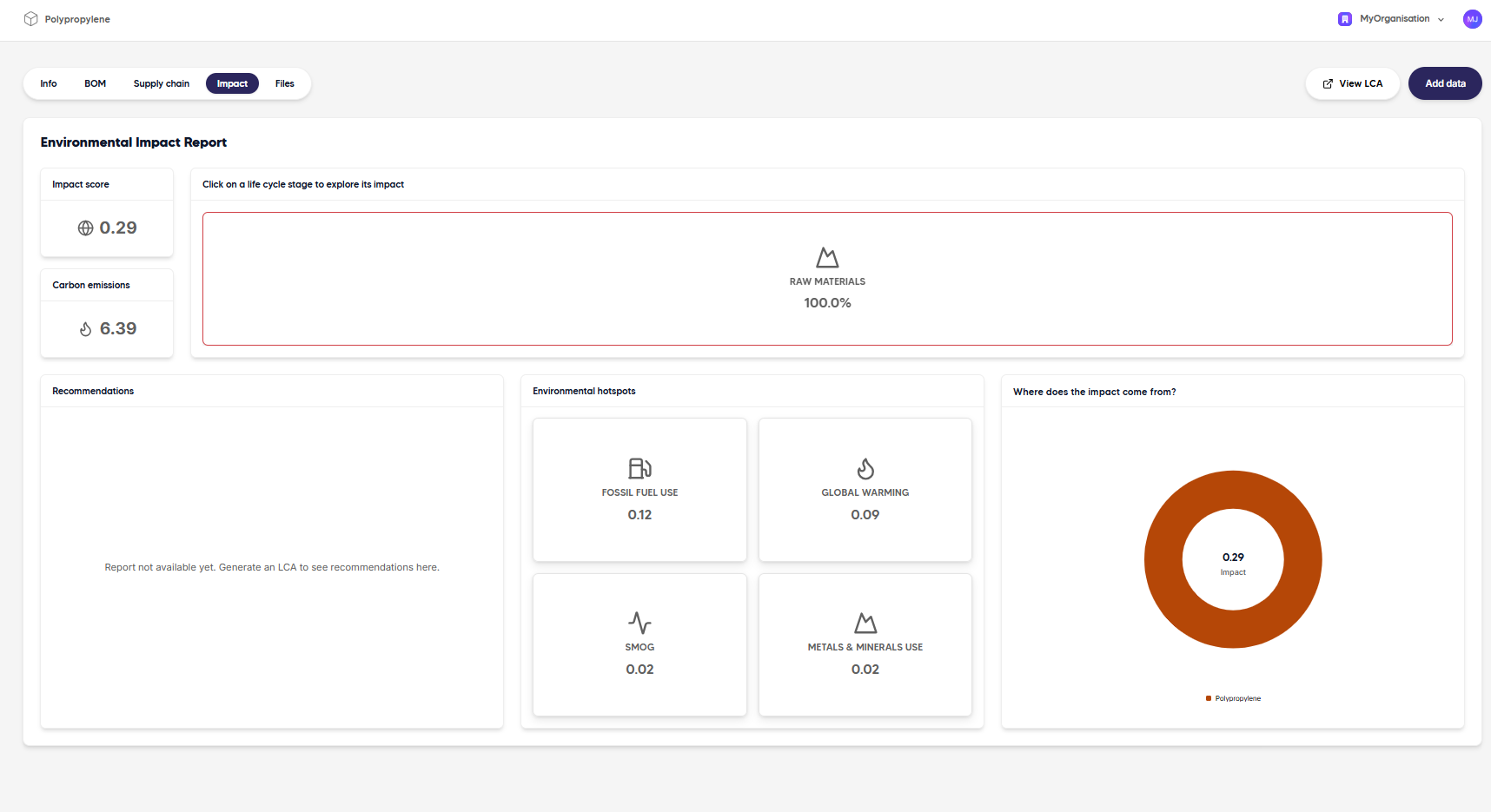
Option 2: Linking a background dataset directly to a part
Alternatively, environmental impacts can be assigned directly at the part level by linking a background dataset from an LCA database to the part itself. In this case, no separate LCA needs to be created. This approach enables faster setup and can be useful for early-stage modelling, prototypes, or parts with a single process in their life cycle, such as the electricity used in the manufacturing of the chair. We start by creating a part representing 1 MJ of electricity, similarly to what was done for option 1.- Navigate to the Parts panel
- Click the “Add Part” button and name it Electricity
- Enter any other relevant details. Note: For this part, the unit will be MJ - the goal is to then be able to reuse this part in other products/assemblies.
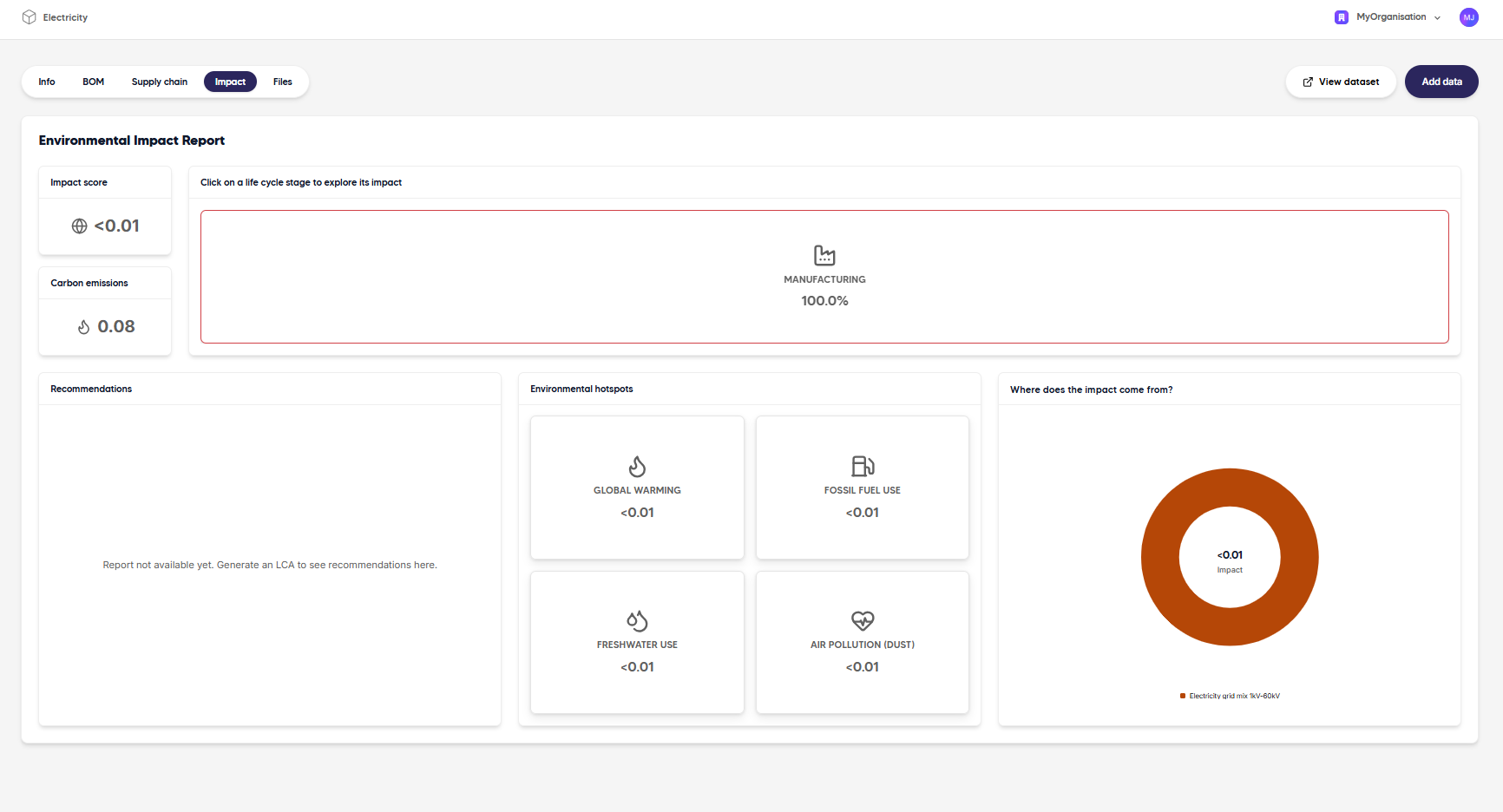
- Go to the Impact section
- Click the “Add Data” button and select Background data
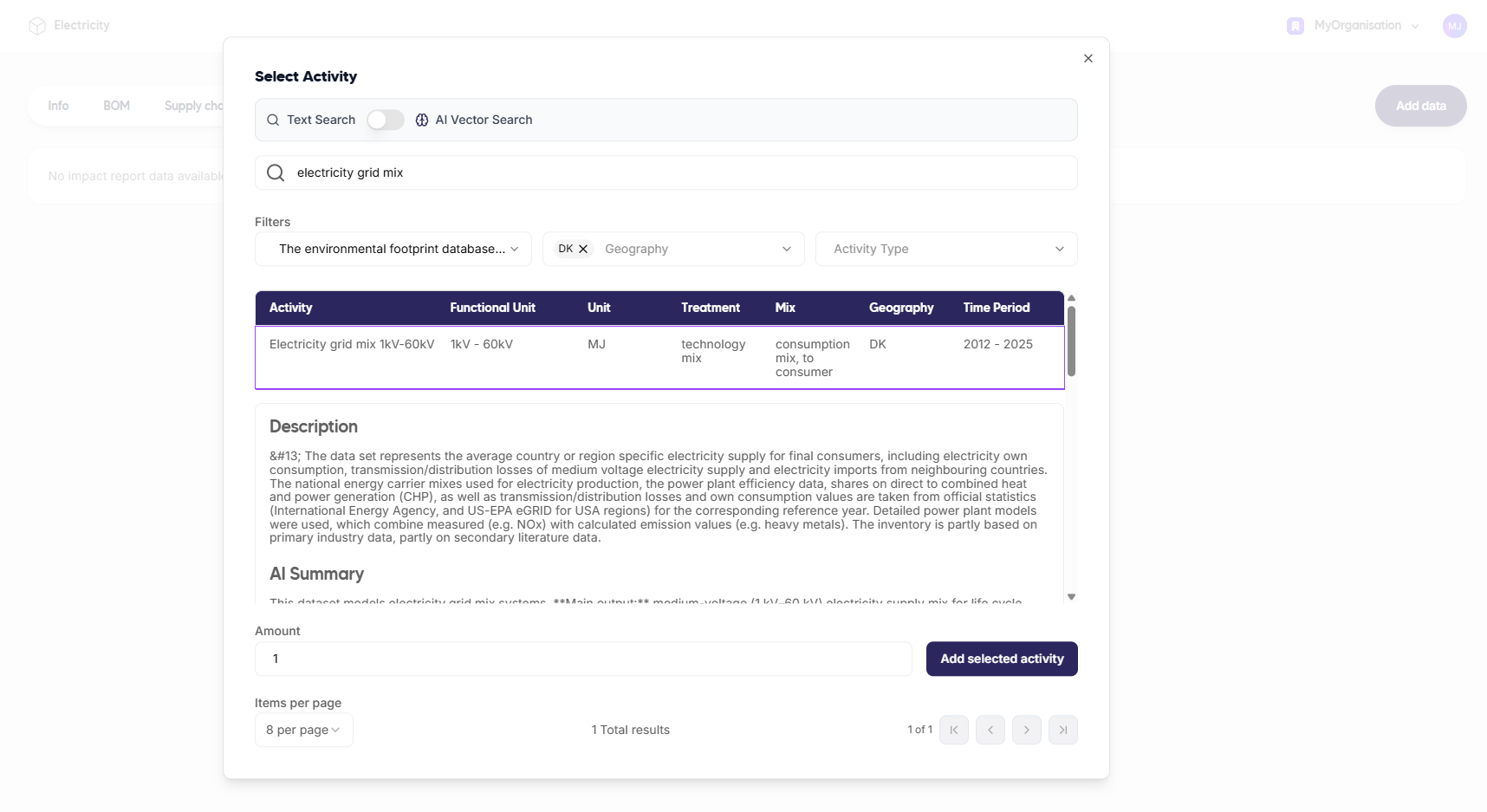
- Search for the relevant dataset in your LCA database: in this case, choose “Electricity grid mix 1kV-60kV” with DK as geographical location
- Add the amount 1 (MJ)
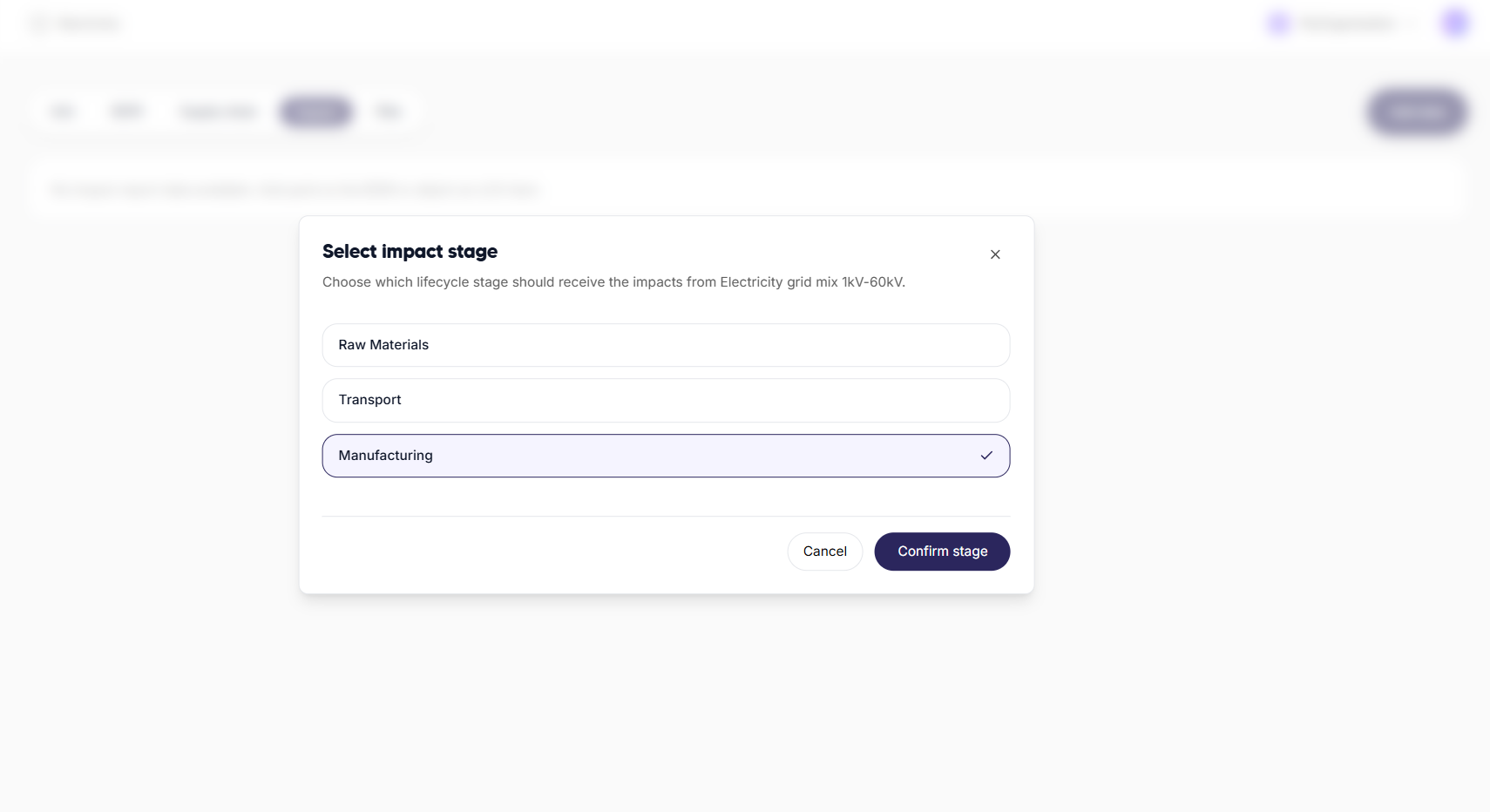
- Choose the relevant life cycle stage where this part should be included. In this case, electricity belongs to the Manufacturing stage.
Assembling the Product using Parts
The final product - the office chair - is modelled as an assembly that combines all previously created parts.Create the office chair assembly
- Navigate to the Assemblies panel
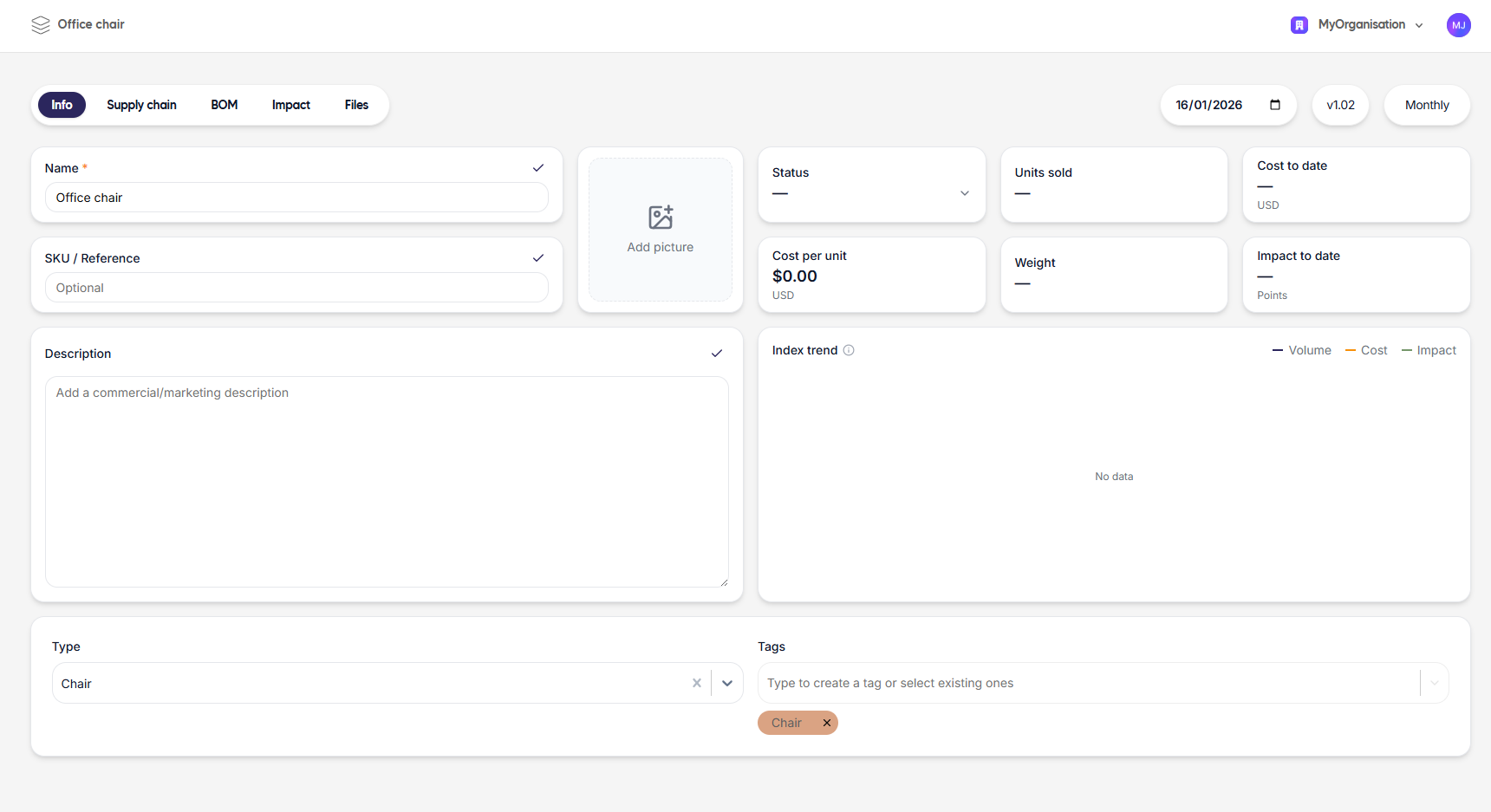
- Click the “New assembly” button and name it Office chair
- Enter any other relevant details: SKU/Reference, Description, Add picture, etc.
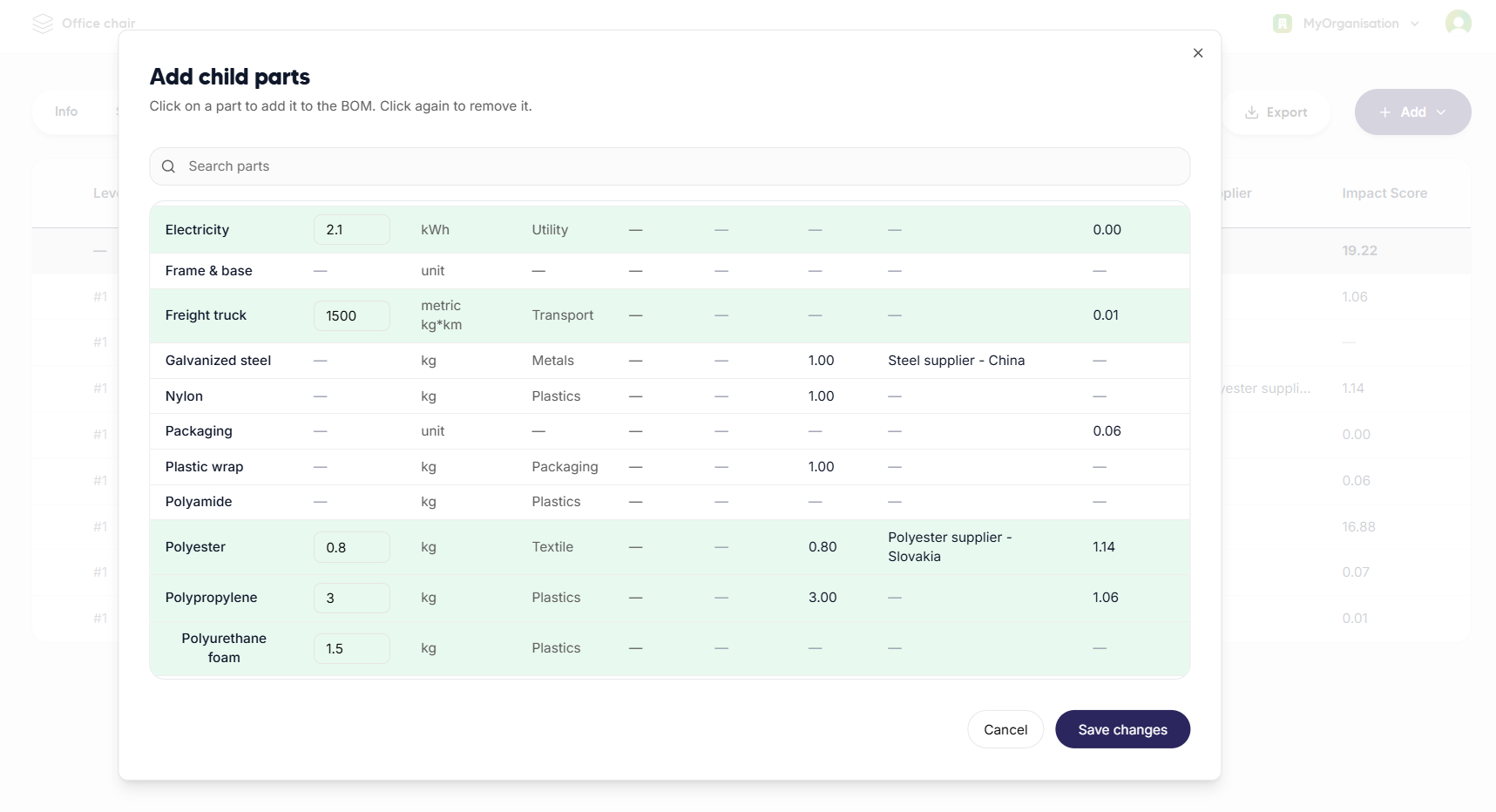
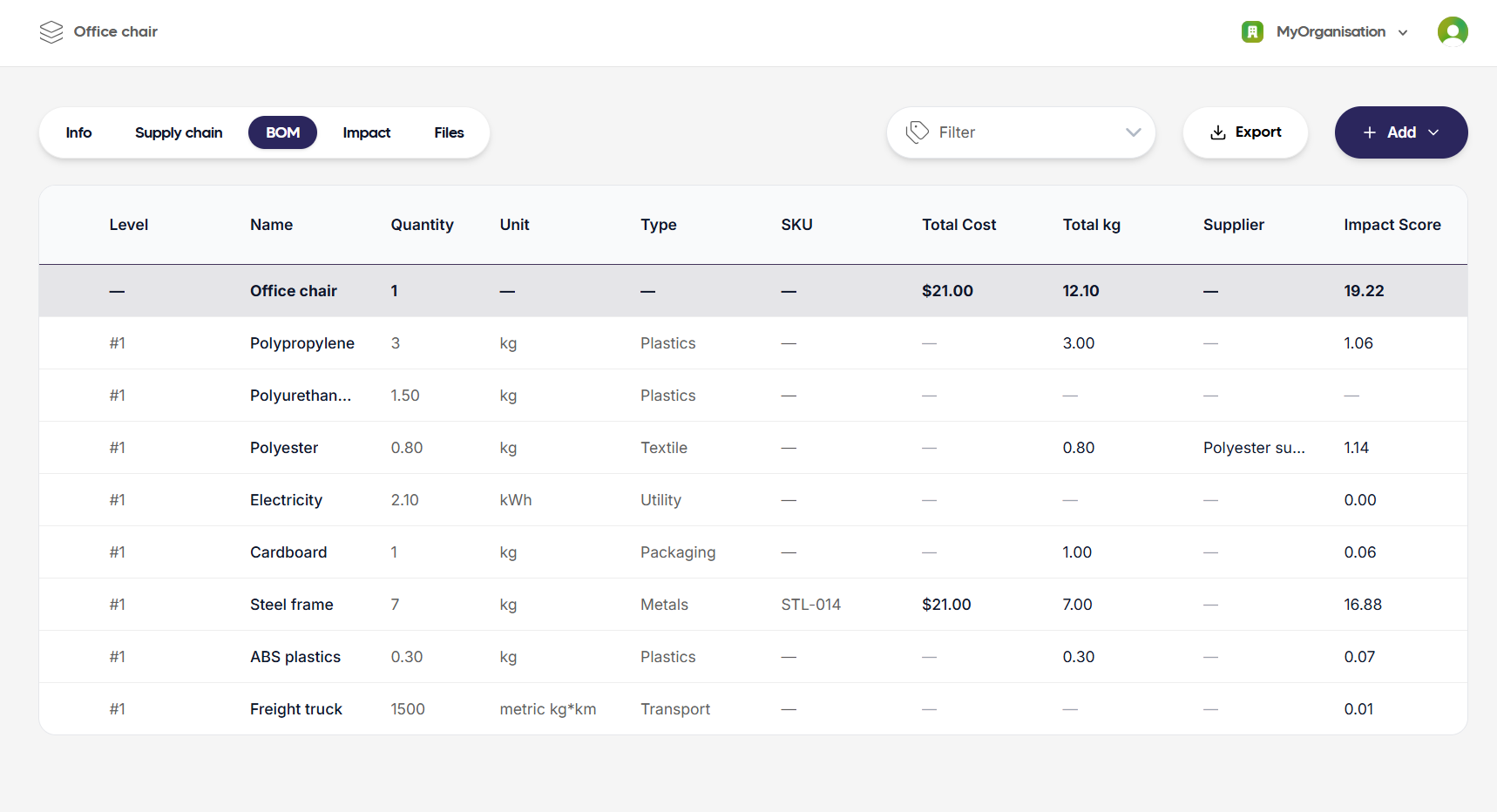
- Go into BOM section and start by adding parts and their specific quantities: a. Steel (frame + wheels) b. PP plastic (seat & back shell) c. PU foam (cushion) d. Polyester textile (upholstery) e. ABS Plastic (wheels) f. Cardboard (packaging) g. Freight truck (transport) h. Electricity (manufacturing)
View Results
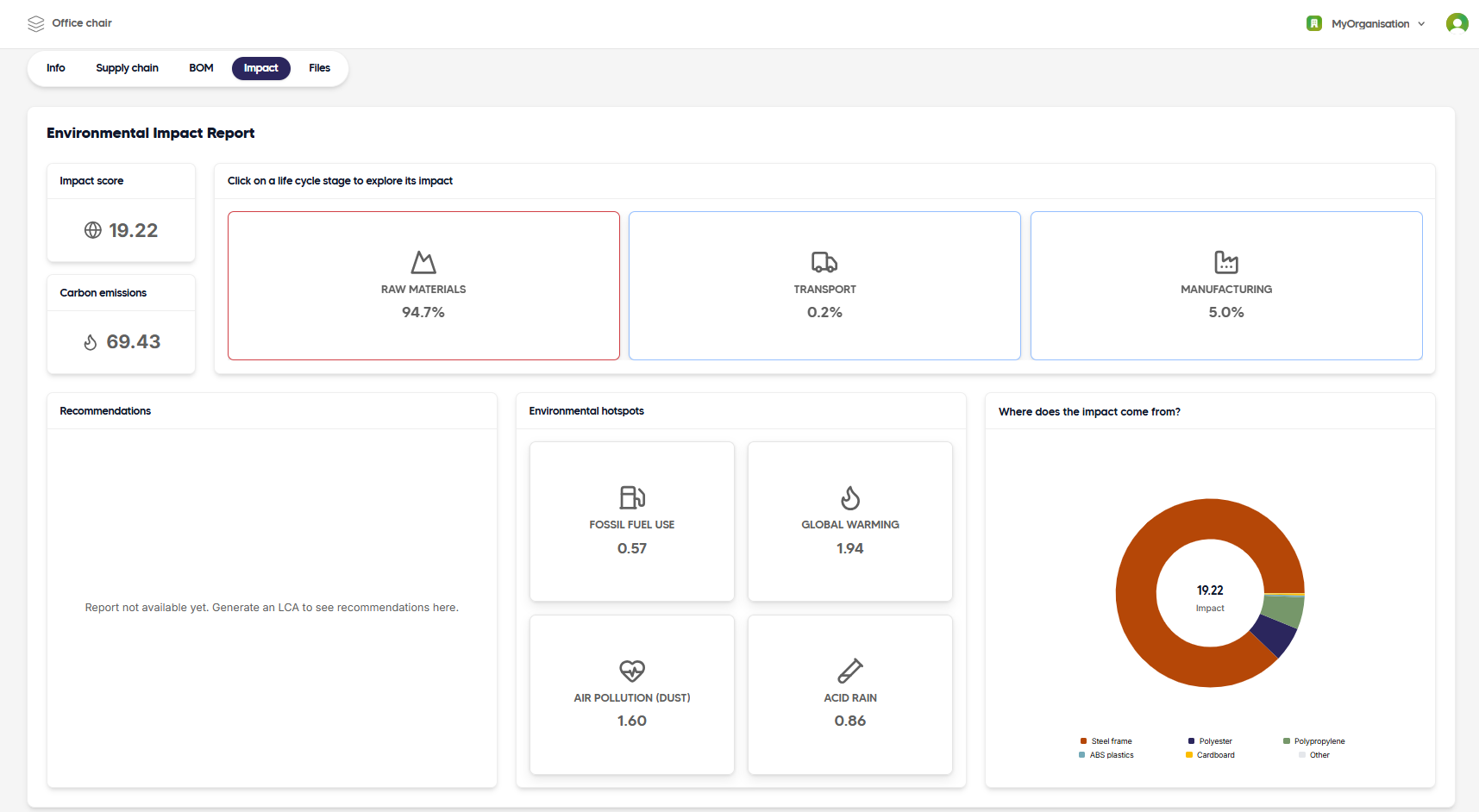
In the Impact section of the assembly, you can now view the overall environmental impacts of the office chair, as well as contribution analyses by life cycle stage and parts.